On the last day before the start of sophomore year, I decided to write down some thoughts on a question I have been thinking about for a long time.
“How should we take notes?” This is something everyone needs to do and knows how to do. From middle school, or even primary school, through college and work, we often need to take notes. After all, “the palest ink is better than the best memory.”
But how can we take notes comfortably and efficiently? I think this is a valuable question.
Based on my own dozen-plus years of experience and observations of classmates around me, here are several common note-taking paradigms:
-
Primary and secondary school:
-
Students who take poor notes: when they suddenly remember that they should write something down, they grab a random sheet of paper or notebook and jot it down. But the next day, or a month later, when they want to find the notes again, the notes have “vanished.”
-
Most students: at the start of the semester, they buy a dedicated notebook for each subject and keep each subject’s notes in a separate book. But often, after a few days, enthusiasm fades. They begin writing casually, breaking their own rules, and the notes get worse and worse, especially for students with bad handwriting. In the end, even they cannot bear to read their notes. By the end of the semester, only a few pages have been written, and an entire notebook has been wasted.
-
Students who take good notes: they often spend more time on notes, use loose-leaf notebooks for easier revision and organization, write neatly all the time, and maintain a self-consistent note-planning and labeling system. This is the premium tier of handwritten notes.
-
-
College:
- Me in the first semester of freshman year: paper notes with a
loose-leaf notebook. However, I did not have the ability tokeep handwriting neat over long periods, and I hated messy notes. Handwritten notes were also inconvenient to revise. As the number of subjects increased, one notebook per subject also became bulky and hard to review. So the effect was poor. - Freshman winter vacation: I encountered the
markdownlanguage andTypora, which I called “godlike,” and immediately joined thedigital notescamp. - Second semester of freshman year: all notes were written locally on my computer through
Typora. Digital notes have many advantages:fast input,easy editing and search,good appearance, especially for math formulas, andstrong extensibility, supporting images, code blocks, hyperlinks, and easy sharing. They were not only comfortable to write, but also made note-taking far more effective. However,local noteshave problems:cannot be viewed or edited on multiple devicesandcannot sync through the cloud. They could not satisfy the need to view notes on a phone or another computer. - Freshman summer vacation: I rented a
cloud server, and then the possibilities became richer.- Initial plan: create a note folder on the cloud server and use
vscode sshto edit and view notes directly on the server. I could also log into a website throughcode-serverand edit on an iPad or even a phone. The advantage is that VS Code has powerful file editing and processing capabilities, so note-taking feels comfortable. In the future, it could be paired withdocsifyto build a website and improve the reading experience. The downside is that viewing notes is not convenient enough. VS Code itself is not a particularly good reading experience, and it is not convenient on iPad or phone. - Latest plan: build a private note system on the cloud server based on
leanote.leanotesupports web access across platforms. If I apply for a domain and complete ICP filing, I can also log in through clients. I can first write inTypora, then sync to the cloud note system.
- Initial plan: create a note folder on the cloud server and use
- Me in the first semester of freshman year: paper notes with a
Looking back at this evolution, it is easy to see the trend toward digitalization and cloudization.
Grabbing a random sheet of paper may be the most convenient way to take notes, but it is not the best way to preserve and review them.
Markdown and even LaTeX can produce neat and beautiful documents, but they require a learning cost, not to mention the eventual purchase of servers and the effort of tinkering with cloud note systems. Still, “putting notes in the cloud” brings:
-
Ctrl CVto avoid repeated work [compared with paper notes] -
Rich-text features that make it easy to write complex formulas, paste images, and attach hyperlinks [compared with .txt]
-
Portability: any device can access and edit notes as long as it is online [compared with local notes]
So can we say, “What age is this? Why are we still taking traditional notes?”
Finally, here is my current note-taking setup:
- Note environment:
VPS+leanoteto build apersonal cloud note system, supporting:- Multi-device access and editing
- 24/7 operation, no need to sync
- Fully private data, stored in the cloud server database, safe to read and write
- Blog function, one-click sharing
- Local computer notes:
Typora/leanote+Picgo,markdownformat, with images stored in the cloud - Mobile remote notes:
server web access, same as on the computer side
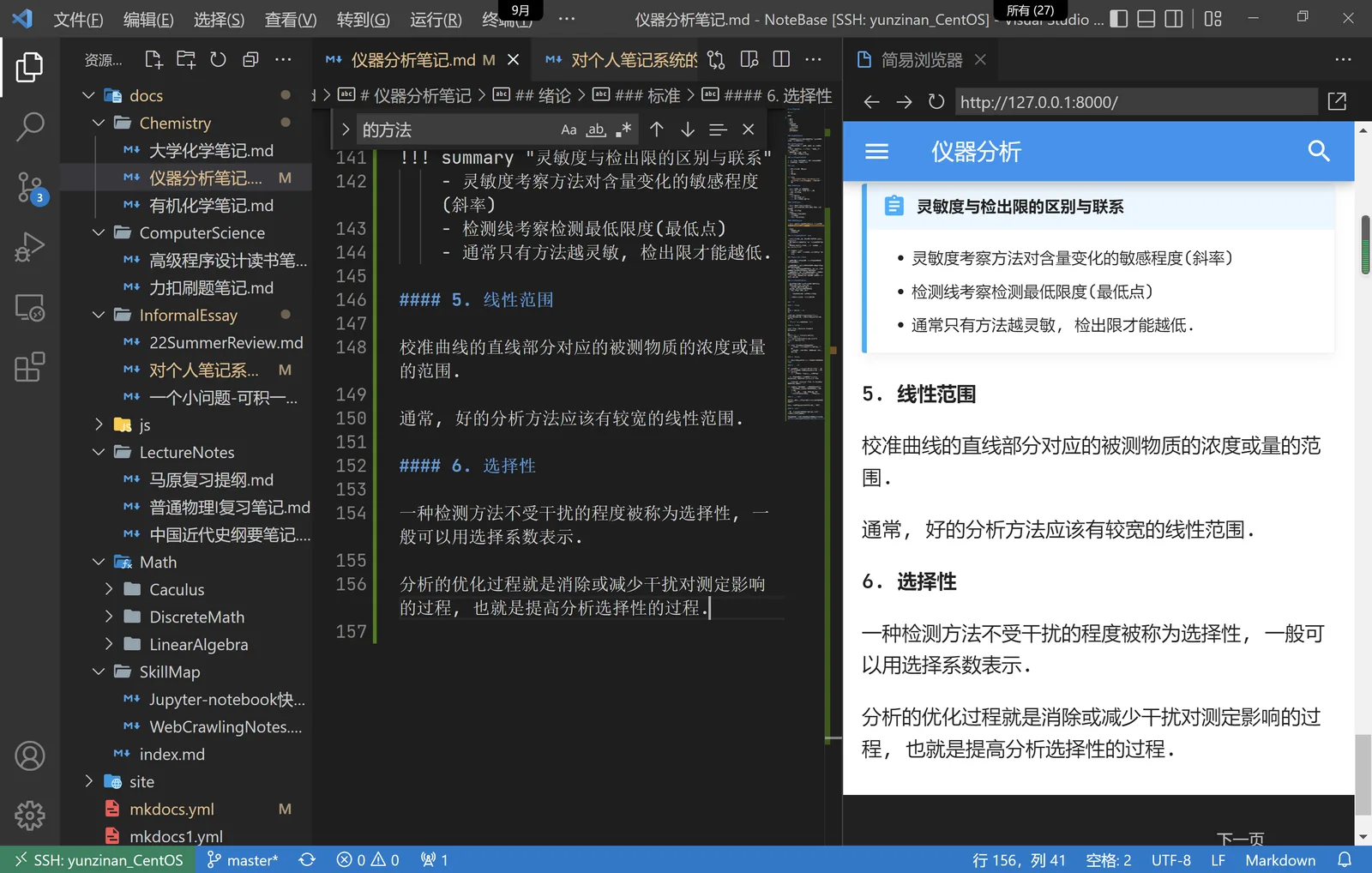
upd: Recently I came across mkdocs, a portable tool that converts Markdown documents into a static website. What mainly attracted me was its good appearance, clean and refreshing, suitable for displaying note documents, its reasonable document management, and some unique extended syntax, such as:
Together with the fact that I think vscode’s Markdown editing efficiency is second only to Typora, and even better than Typora when there are many formulas, I decisively changed my previous writing paradigm:
Finally, here is a photo of writing: